Tools
Qubes OS
Qubes OS is a desktop operating system that runs each activity in its own isolated virtual machine. If one environment is compromised, the others remain intact. It's designed around the idea that security comes from compartmentalisation rather than prevention.
Why it matters
Most operating systems assume that if a threat gets in, the damage is limited to that specific attack. In practice, compromise of one application often provides a foothold into everything running on the same system, files, credentials, network access, other apps.
Qubes OS challenges this assumption at the architecture level. Different activities, work, personal browsing, sensitive research, email, run in separate virtual machines called "qubes." These are isolated from each other. A compromised browser in one qube can't read files in another, capture keystrokes from a different application, or access credentials stored elsewhere.
The threat model Qubes is designed for is a sophisticated attacker who can exploit a vulnerability in your software. Isolation means the blast radius of any single exploit is contained to one compartment.
What Qubes OS helps with
- Containing compromises, if a qube is infected, the infection can't spread to other qubes
- Separating trust levels, untrusted activities (opening unknown files, visiting risky websites) run in qubes that don't have access to sensitive data
- Disposable qubes, created on demand for one-off tasks, then destroyed completely, leaving no trace
- Tor integration via Whonix, a dedicated Tor gateway qube routes traffic through Tor for any qube that uses it
- Network and USB isolation, dedicated qubes handle hardware access, so a compromised driver can't touch the rest of the system
- Template-based software installation, install software once in a template, use it across many qubes without duplicating packages
What Qubes OS does not do
It does not make you anonymous on its own. Qubes is about compartmentalisation, not anonymity. Routing through Tor (via Whonix integration) addresses anonymity separately.
It does not protect against hardware-level attacks. The Xen hypervisor provides strong isolation, but vulnerabilities in firmware, BIOS, or hardware below the hypervisor could potentially affect all qubes.
It does not make mistakes impossible. If you share files between qubes carelessly, or copy sensitive information from a secure qube to an untrusted one, the compartmentalisation doesn't help.
It is not easy to get started with. Qubes requires understanding the virtual machine model to use effectively. The setup is more involved than installing a conventional operating system, and the daily workflow is different enough that new users need time to adjust.
Tradeoffs to be aware of
Qubes requires hardware capable of running multiple virtual machines simultaneously. This means modern processors with virtualisation support and, ideally, 16GB or more of RAM. Older or lower-powered hardware will struggle.
Hardware compatibility isn't universal. Qubes has specific requirements and some hardware, particularly laptops with proprietary wireless drivers or certain graphics configurations, doesn't work well.
The multi-VM model is a meaningful shift in how you work day-to-day. Opening a file means choosing which qube to open it in. Copying between qubes is deliberate and explicit. This friction is part of the security model, but it's real friction.
Qubes is the most technically demanding tool covered in this wiki. It's the right choice for people with a genuine need for compartmentalisation at this level, security researchers, journalists working with sensitive sources, people in high-risk environments. For most people's needs, simpler tools are more appropriate.
Practical guidance
Check hardware compatibility before attempting installation at qubes-os.org/hcl, the Hardware Compatibility List documents which devices are known to work.
Download Qubes OS from the official site, qubes-os.org. Verify the signature before installing.
Start with the standard qube templates, a work qube, a personal qube, and a disposable qube for one-off tasks. Add more compartments as your workflow becomes clear.
Keep software installation in templates, not AppVMs directly. Changes to AppVMs don't persist by default, installing software in an AppVM rather than its template means the software disappears at next start.
Use disposable qubes aggressively, any time you're opening a document from an unknown source, downloading something, or visiting an unfamiliar site, a disposable qube is the right container.
Going deeper
The Xen hypervisor. Qubes uses Xen, a type-1 hypervisor that runs directly on hardware, below all other software. Xen manages memory and CPU access for all virtual machines. Even if the operating system running inside a VM is compromised, it can't break out to Xen or affect other VMs through software alone.
Dom0 and the trust model. Qubes has a special administrative domain called Dom0 that manages all other qubes. Dom0 is never used for internet browsing or opening files, its isolation is the foundation of the system's security. A compromised Dom0 would compromise everything, so Qubes is designed to keep Dom0 completely isolated from external input.
Whonix integration. Qubes includes native support for Whonix, a Linux distribution built around Tor. In a Qubes+Whonix setup, one qube acts as a Tor gateway and another as a Tor workstation. All traffic from the workstation routes through the gateway qube, which handles Tor routing, without the workstation needing to know or trust the network directly.
Disposable VMs. When you create a disposable qube, it's a clean instance based on a template. When you close it, the instance is destroyed and all changes are discarded. If you opened a malicious PDF, the qube containing whatever it did is gone. This is Qubes's strongest practical tool for handling untrusted content.

Foldy tip
Qubes has a learning curve. Take it slowly. The isolation model is worth understanding before you dive in.
Related pages
 Tails, a different operating system model, amnesia and Tor by default, less compartmentalisation
 Tor, integrates with Qubes via Whonix for network anonymity
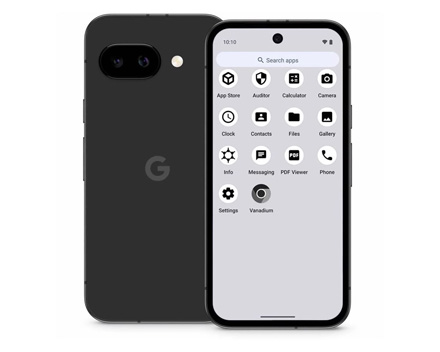 GrapheneOS, compartmentalisation on mobile with a similar security philosophy
 Threat modeling, helps clarify whether Qubes's level of isolation is what your situation needs