Tools
Tails
Tails is a portable operating system that runs from a USB stick and leaves no trace on the computer it's used on. When you shut it down, everything you did disappears.
Why it matters
Ordinary operating systems leave traces everywhere, browser history, recently opened documents, deleted files that aren't really deleted, temporary files, cached data. Even private mode in a browser only addresses a slice of this.
Tails runs entirely in RAM and never writes to the hard drive. Shut it down, and the session is gone, not archived, not recoverable. The computer you used it on has no record that Tails was ever running. This is particularly useful when using someone else's computer, a shared machine, or a device that might be examined later.
Tails also routes all internet traffic through the Tor network by default. Every application that makes a network connection does so through Tor. This isn't something you configure, it's how Tails works.
What Tails helps with
- Leaving no trace on the computer after shutdown, everything runs in RAM
- Routing all network traffic through Tor automatically, no configuration required
- Working on a borrowed, shared, or potentially compromised computer with a reduced risk of data being recorded
- Optional encrypted persistent storage on the USB stick, for files, settings, and bookmarks you want to keep between sessions
- A pre-configured set of applications for sensitive work, Tor Browser with uBlock Origin, Thunderbird for encrypted email, LibreOffice, OnionShare, and a metadata cleaner for files
- Avoiding surveillance and censorship, same Tor protections apply, with bridge support for restrictive environments
What Tails does not do
It does not protect against hardware-level attacks. Keyloggers, BIOS modifications, or other firmware attacks affect whatever operating system is running. These are expensive and targeted, but Tails can't prevent them.
It does not protect against a compromised host computer. If the computer you boot Tails on has malicious software at the hardware or firmware level, that can potentially affect Tails. Tails recommends installing from a trusted machine and being careful about which computers you use it on.
It does not protect your identity if you log into accounts. The same limitation applies here as with Tor, if you identify yourself through accounts, websites, or communications, the anonymity at the network level doesn't undo that. Tails can host multiple separate identities, but mixing them in the same session risks linking them.
Tor's limitations apply. Your ISP can see you're using Tor. Some sites block Tor exit nodes. A powerful adversary watching both ends of a connection may be able to correlate traffic. These are Tor's limitations, not specific to Tails, but they travel with it.
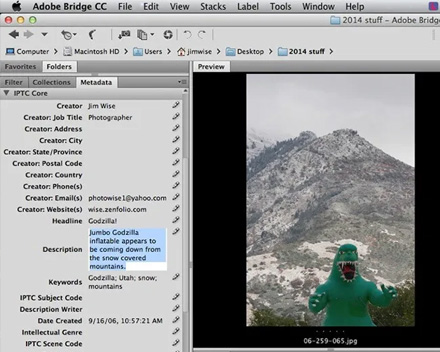
Metadata in files isn't automatically removed. If you create a document or take a photo in Tails and share it, that file may contain metadata (author, timestamp, location). Tails includes a metadata cleaner for this purpose, but you have to use it.
Tradeoffs to be aware of
Tails is not designed for everyday use. It's designed for specific sessions where anonymity and amnesia are important. Using it as your primary operating system would be impractical, the amnesic model means configuration and files don't persist unless you deliberately save them to encrypted persistent storage.
Setting up Tails requires a USB stick of at least 8GB and booting from it on a compatible computer. Most computers made in the last ten years can boot from USB, but it's not universal.
Because all traffic goes through Tor, speed is reduced, significantly for some tasks. Streaming and video calls are impractical on Tails.
Practical guidance
Download Tails from the official site, tails.net. Verify the download using the cryptographic signature before writing it to USB, this confirms you have the genuine Tails image.
Boot from the USB stick by restarting your computer and selecting the USB drive at startup. The exact key for boot menu varies by computer (often F12, F2, or Del).
Use separate Tails sessions for separate activities that you don't want linked. Websites can correlate activity within the same Tor circuit. Restarting Tails clears everything and assigns a new circuit.
Enable the persistent storage only for information you genuinely need to persist, bookmarks, PGP keys, documents. Keep the scope narrow; the persistent storage is encrypted but exists across sessions.
Don't use the persistent storage to store information from a sensitive identity and a regular identity together.
Going deeper
Amnesic design. Tails runs from RAM, all data is written to volatile memory that's cleared when power is removed. Booting Tails on a computer doesn't touch the machine's storage. Shutting down Tails removes all trace of the session from memory. This is the "amnesic" part, the system forgets.
Tor integration. Tails routes all network traffic through Tor at the system level, not just the browser. Applications that attempt to make direct connections are blocked from doing so. This is stronger than using Tor Browser on a regular OS, where other applications may make direct connections that bypass Tor.
Persistent storage. The persistent storage is an encrypted partition on the same USB stick as Tails. It's optional and unlocked with a passphrase at startup. Inside, you can persist selected configuration and files. The rest of the session remains amnesic. The persistent storage doesn't grow to fill the USB, you choose what's saved.
Tails and Tor together. Tails is the strongest combination of Tor-based anonymity with operational amnesia. It's the tool used by journalists, activists, and whistleblowers in environments where being caught with evidence or having traces of activity could be dangerous. Its reputation in this space is based on a decade of use and extensive documentation of its design choices.

Foldy tip
Tails is calm by design. It forgets everything when you are done, and that is the point.
Related pages
 Tor, the network Tails routes all traffic through
 Qubes OS, a different security model based on compartmentalisation rather than amnesia
 Metadata, what Tails's amnesia doesn't protect in files you share
 Threat modeling, helps clarify whether Tails's level of protection is what your situation requires