Tools
GrapheneOS
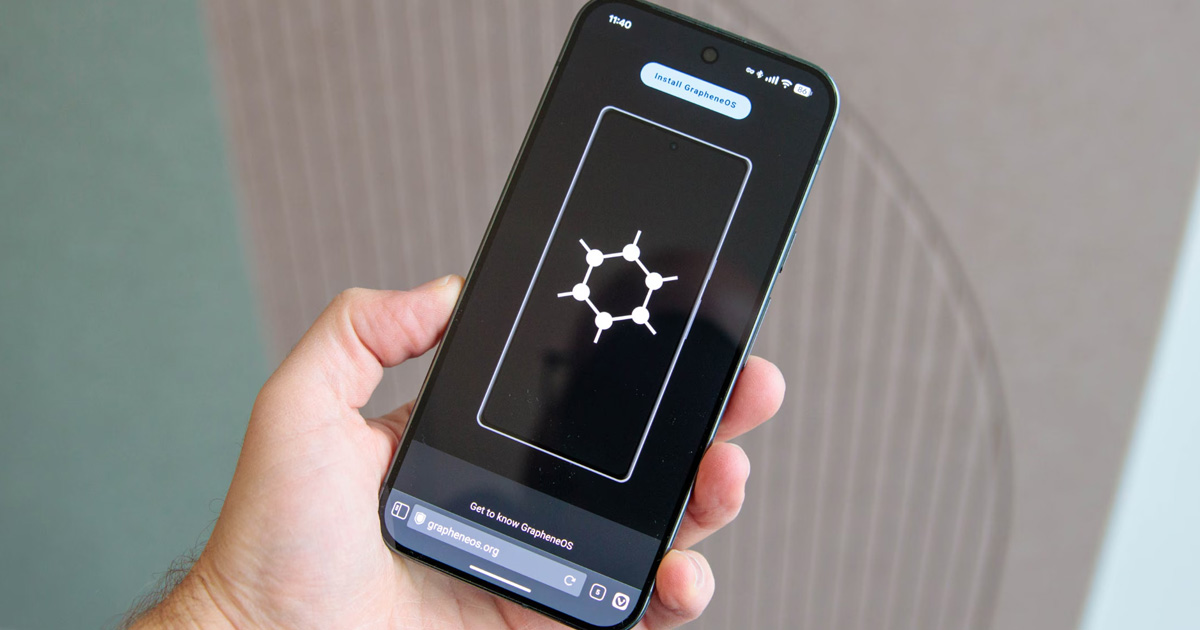
GrapheneOS is a privacy and security-focused operating system for Android phones, built on top of the Android Open Source Project. It removes Google's tracking infrastructure and adds substantial hardening beyond what stock Android provides.
Why it matters
Android phones running stock Google software send significant data to Google by default, location, app usage, contacts, searches, and more. Even if you avoid Google apps, the underlying OS communicates with Google infrastructure as part of normal operation.
GrapheneOS strips out Google's data collection while preserving the Android app ecosystem. It adds security features that don't exist in stock Android, and it treats privacy as a default rather than an opt-in configuration.
The result is a phone that functions like a normal smartphone but communicates with GrapheneOS infrastructure only, not Google's, by default. You can choose to install Google apps in a sandboxed environment if you need them.
What GrapheneOS helps with
- Removing Google's default tracking from the OS, no telemetry or analytics sent to Google by default
- Stronger encryption, filesystem-based AES-256 per-user-profile with hardware-backed key derivation
- A network permission toggle, you can deny any app internet access entirely, at the system level
- MAC address randomisation for Wi-Fi connections by default, prevents networks from tracking you across locations
- Storage Scopes, granular control over which apps can access which files
- Contact Scopes, selective access to individual contacts, rather than all-or-nothing
- USB port blocking when locked, USB connections are disallowed until you unlock the device
- Automatic background updates with a secondary partition, updates install without interrupting use
- Sandboxed Google Play, install Google Play apps in a user profile sandbox if needed, with the same permission restrictions as any other app
What GrapheneOS does not do
It does not make you anonymous. Your carrier knows your location. Calls and SMS are visible to carriers. GrapheneOS reduces data sent to Google, but network-level exposure remains.
It only runs on Pixel phones. GrapheneOS specifically requires Pixel hardware for its security model to hold, features like hardware attestation and verified boot work as designed only on supported Pixels. Running it on other hardware is not supported.
It does not make all apps trustworthy. Apps you install can still request permissions, track you within their own terms of service, and behave according to their own data practices. GrapheneOS gives you more control over those permissions, but it doesn't make bad apps good.
Some apps may have limited functionality. Banking apps, streaming services, and apps using Google's Play Integrity API to verify the device's integrity may not work or may work with limitations. GrapheneOS passes basic integrity checks but not the certified profile check.
It requires more technical comfort than stock Android. Installation requires following a careful process using a web-based installer or command line. Day-to-day use is similar to stock Android once installed, but the initial setup is not as simple as buying a phone off the shelf.
Tradeoffs to be aware of
GrapheneOS locks you into Google Pixel hardware. If you want the security model GrapheneOS provides, you need a Pixel, currently the 6 series and newer, with the 8 series and newer strongly recommended for the longest support window.
The sandboxed Google Play feature means you can run most Android apps, but apps that need deep OS integration may behave differently or not work. Banking apps in particular are an ongoing compatibility concern, community-maintained lists track which apps work.
Installation erases all data on the phone. This is a one-way door in terms of that specific data.
Practical guidance
Check device compatibility before purchasing. GrapheneOS recommends Pixel 8 or newer for the longest support period and best feature coverage.
Use the official web installer at grapheneos.org/install/web, it handles the flashing process through a browser without requiring complex command-line tools.
After installation, set a strong lock screen PIN or passphrase. GrapheneOS's encryption is hardware-backed, but it's only as strong as the credential that unlocks it.
Install apps from the GrapheneOS App Store (Accrescent or F-Droid). For apps that require Google Play, install sandboxed Google Play in a secondary user profile.
Review app network permissions. The network permission toggle in GrapheneOS lets you deny internet access to apps that don't need it, weather apps that report your location, games that send analytics, utilities that shouldn't need network access at all.
Strip EXIF metadata from photos before sharing. GrapheneOS Camera removes metadata by default, but the stock Pixel Camera app does not.
Going deeper
Exec spawning instead of Zygote. Android normally uses a model called Zygote, where apps are forked from a single parent process and share some memory state. GrapheneOS replaces this with a fresh process spawn for each app. This is slightly slower at startup (around 200ms) but improves address space layout randomisation, reducing the effectiveness of certain exploit techniques.
Hardware attestation. GrapheneOS uses hardware-backed attestation to verify the integrity of the OS at startup. The device contains a secure element that signs the boot state, allowing you to verify that the installed OS hasn't been tampered with. This is a security feature that most mobile OSes don't provide at this level.
Sandboxed Google Play. GrapheneOS includes infrastructure to run Google Play as a regular sandboxed app rather than as a system service with elevated privileges. Google Play apps run inside this sandbox with no special access to OS internals. You grant them permissions the same way you would any other app.
Profiles. GrapheneOS supports multiple user profiles that are isolated from each other, separate app installations, separate storage, separate network traffic. This enables a Qubes-style compartmentalisation model on mobile, work apps in one profile, sensitive apps in another, untrusted apps in a third, with no shared state between them.

Foldy tip
GrapheneOS is thorough. Worth it if your phone is a meaningful part of your threat model.
Related pages
 Qubes OS, a similar compartmentalisation philosophy for desktop
 Blackout VPN, one of the VPN providers Anonsafe recommends for IP address privacy
 Mullvad VPN, GrapheneOS explicitly recommends using a VPN for IP address privacy
 Threat modeling, helps clarify whether mobile OS hardening is relevant to your situation
 Tor, for anonymity at the network level, which GrapheneOS doesn't provide on its own