Concepts
VPNs explained
A VPN (Virtual Private Network) routes your internet traffic through a server run by the VPN provider, hiding your activity from your internet service provider and masking your IP address from the websites you visit.
Why it matters
Your internet service provider (ISP), the company that provides your home or mobile internet, can see which websites and services you connect to. Not necessarily the content of encrypted connections, but the destinations, which domains you visit, when, and roughly how much data you transfer.
A VPN encrypts the traffic between you and the VPN server, so your ISP sees only that you're connected to a VPN, not where you're going from there. The websites you visit see the VPN server's IP address, not yours.
For some people, in some situations, that shift matters. For others, it makes less practical difference than the marketing suggests.
What a VPN helps with
- Hiding your browsing destinations from your ISP. If you're on a network you don't control, a hotel, a coffee shop, a workplace, a VPN can help prevent that network from seeing what you're doing.
- Masking your IP address from websites. Websites can use your IP address to get a rough sense of your location and to build a profile of your visits over time. A VPN replaces your IP with the VPN server's.
- Bypassing geographic content restrictions. If a service is only available in certain countries, a VPN server in that country can sometimes help.
- Reducing ISP-level tracking. Some ISPs sell data about customer browsing behaviour. A VPN limits what they can see.
What a VPN does not do
This is where VPN advertising often misleads people.
A VPN does not make you anonymous. If you're logged into Google, Facebook, or any other account, those services know who you are regardless of what IP address you're using. Your behaviour, your accounts, and your identity still connect.
A VPN does not protect the content of your connections. The encryption a VPN provides applies to the connection between you and the VPN server. Once traffic leaves the VPN server toward its destination, it travels the same way it would without a VPN. For sensitive connections, you should also be using HTTPS, which most websites now use by default.
A VPN does not guarantee privacy from the VPN provider. You're shifting trust from your ISP to the VPN company. The VPN provider can see your traffic in the same way your ISP could. "No logging" policies are promises, they can't be verified from the outside, and they only matter if you trust the company making them.
A VPN does not protect you from browser fingerprinting or tracking scripts. Advertisers and websites use many techniques to track users beyond IP addresses. A VPN doesn't address most of them.
Tradeoffs to be aware of
Using a VPN means trusting a different party with your traffic, the VPN provider, instead of your ISP. This is sometimes a better tradeoff and sometimes not, depending on who you trust more and what the VPN provider's actual practices are.
VPN providers vary significantly in how they handle data, where they're based, what their business model is, and whether they've been independently audited. Jurisdiction matters, a provider based in a country with strong data privacy laws and no history of cooperation with foreign surveillance is in a different position from one based elsewhere.
There's also a performance cost. Routing traffic through an additional server adds latency. For most everyday use this is minor, but it's worth knowing.
When to consider a VPN
A VPN is a reasonable tool if
- You regularly use networks you don't control and want to limit what those networks can see
- You want to reduce your ISP's visibility into your browsing habits
- You need to work around geographic restrictions on content
- Your threat model specifically includes ISP-level surveillance
A VPN is less useful if
- Your main concern is being tracked by websites and advertisers (browser settings and extensions address this more directly)
- You're logged into accounts associated with your real identity, the VPN doesn't change what those services know
- You're looking for anonymity, for that, Tor is a more relevant tool, though it involves different tradeoffs
Practical guidance
If you're considering a VPN, look for providers that
- Have been independently audited and publish the results
- Have a clear, minimal logging policy that matches what audits have found
- Are based in a jurisdiction with strong privacy protections
- Have a transparent business model (subscription-based rather than free, since free VPNs often monetise user data)
- Don't require account information you'd rather not share
Anonsafe recommends two providers on these grounds.
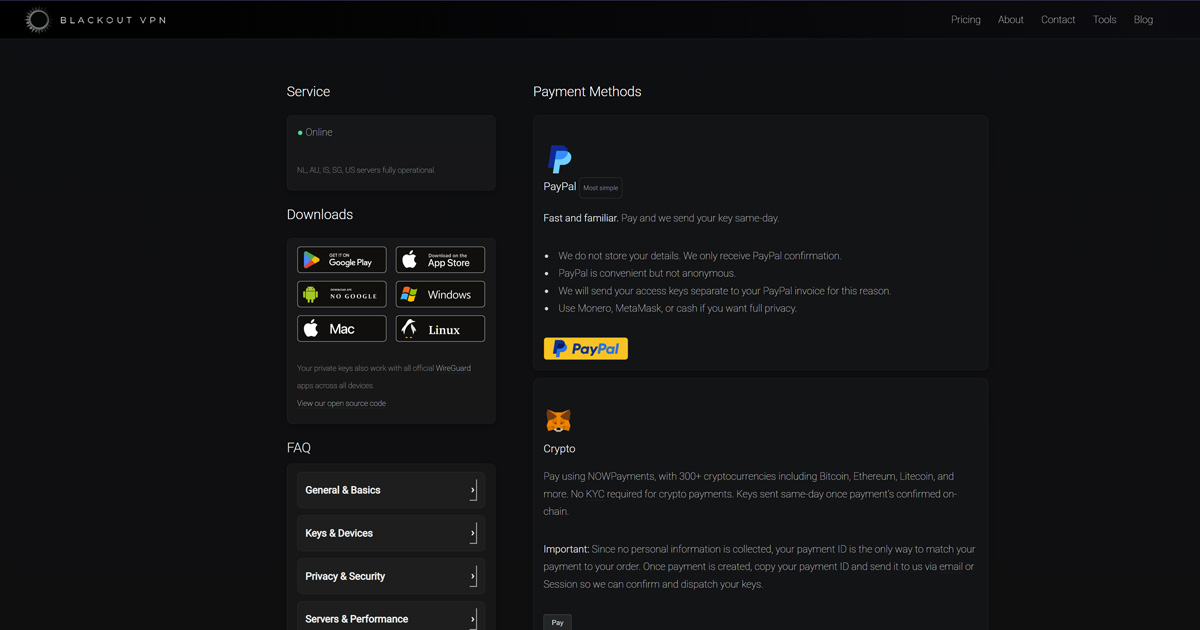
Blackout VPN is an Australian-based provider built on WireGuard. It requires no account, accepts anonymous payment including Monero and cash by mail, and separates payment records from key delivery by design. Anonsafe has a personal relationship with the Blackout founders. There is no commercial arrangement between the two projects. The recommendation is based on how the service is built, not the relationship, but you should weigh that context when reading it. Blackout also offers an Iceland server for people who want a jurisdiction outside Australia's Five Eyes membership.
Mullvad VPN accepts anonymous payment, requires no email to sign up, and has published multiple independent audits. It is a useful reference for what a privacy-respecting VPN looks like in practice.
Going deeper
Why HTTPS still matters with a VPN. The VPN encrypts traffic between you and the VPN server. After that, your traffic behaves normally. If you're visiting a site over plain HTTP (uncommon now, but it still happens), your traffic is unencrypted from the VPN server onward, and the VPN server itself can read it. HTTPS encrypts end-to-end between your browser and the website, so even the VPN server can't read the content.
No-logging policies and what they actually mean. A VPN claiming it keeps no logs is making a claim about its own behaviour that you can't directly verify. Audits help, a third-party security firm reviewing the server configuration and code is more meaningful than a marketing statement. Some providers have also been tested in practice when law enforcement has requested data they claimed not to have.
Multi-party relays and newer alternatives. Some services (including Apple's iCloud Private Relay) use a two-server model where no single party can see both who you are and where you're going. This is a different architectural approach with its own tradeoffs. It's worth understanding as an alternative to traditional VPNs.
VPNs and Tor together. Some people use a VPN alongside Tor. This can hide the fact that you're using Tor from your ISP. It adds complexity and isn't necessary for most situations, but it's a real option for specific concerns.

Foldy tip
VPNs are useful, but they are not magic. Know what yours actually does and does not do.
Related pages
 Threat modeling, working out whether a VPN fits your actual situation
 What is privacy, the broader picture
 Blackout VPN, the other provider Anonsafe recommends, built around collecting as little as possible by design
 Mullvad VPN, a specific provider worth understanding
 Tor, a different tool for different concerns