Tools
KeePassXC
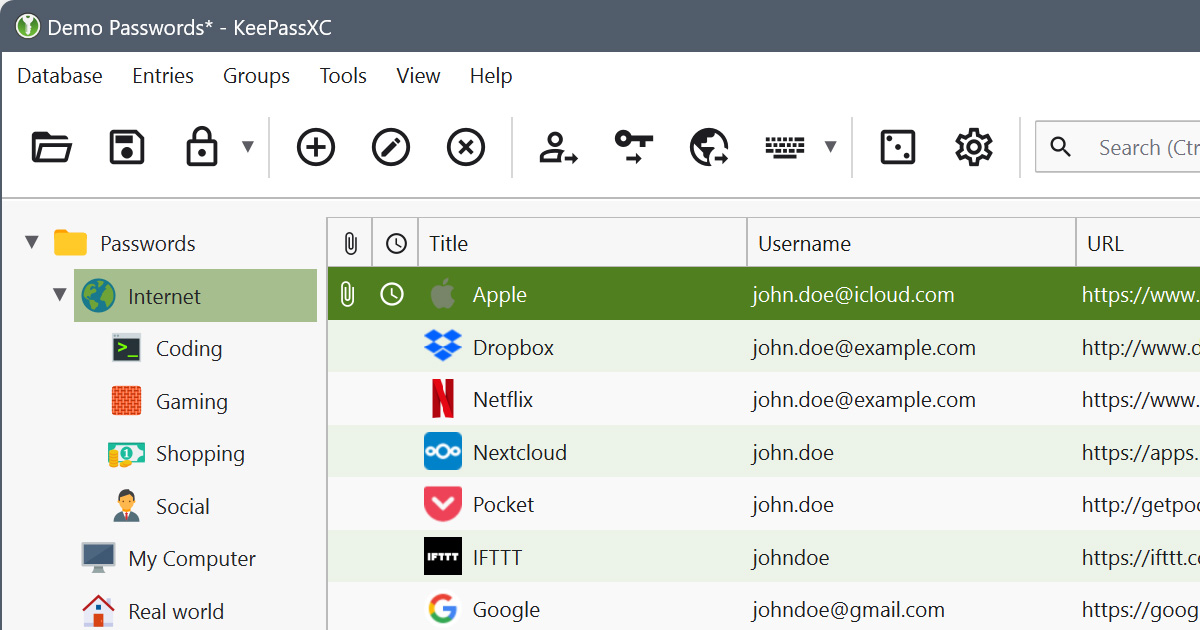
KeePassXC is an offline, open-source password manager. Your passwords are stored in an encrypted file on your own device, nothing syncs to a company's servers unless you set that up yourself.
Why it matters
Cloud-based password managers are convenient, but they involve a third party holding your encrypted vault. KeePassXC takes a different approach, the encrypted database lives entirely on your device. There's no company to breach, no server to compel, and no subscription fees. The tradeoff is that you're responsible for backup and sync.
For people who want full control over where their data lives, or who are uncomfortable with any data leaving their device, KeePassXC is the right choice.
What KeePassXC helps with
- Storing passwords in an encrypted file (
.kdbx) on your device, nothing stored remotely by default - Generating strong, random passwords for every account
- Storing other sensitive information, usernames, URLs, notes, file attachments
- Browser integration via the KeePassXC-Browser extension for Firefox and Chromium-based browsers, auto-fills credentials without clipboard exposure
- SSH agent integration on Linux, macOS, and Windows, store SSH keys securely
- Hardware token support, unlock the database with a YubiKey in addition to the master password
- Strong encryption, AES-256 or Twofish with configurable key derivation to resist brute force
What KeePassXC does not do
It does not sync across devices automatically. There's no built-in sync service. If you want access on multiple devices, you need to copy or sync the database file yourself, through a cloud storage folder, an encrypted sync service, or manual transfers.
It does not have an official mobile app. KeePassXC is a desktop application for Windows, macOS, and Linux. For mobile access, third-party compatible apps exist (such as Strongbox for iOS and KeePassDX for Android) that can open the same .kdbx file, but they're separate projects.
It does not protect you if your device or database password is compromised. The encryption is strong, but the database password is the key. A weak password or a compromised device undermines the protection.
It requires more setup than cloud-based options. Initial configuration, backup discipline, and device-to-device file management fall on you. This is the cost of the added control.
Tradeoffs to be aware of
KeePassXC puts you in control of the database file, which means backup is your responsibility. If you don't back up the file and your device fails, you lose your passwords. Back up the .kdbx file regularly to at least one additional location.
Cloud sync is possible, many users store their KeePassXC database in a Dropbox, Syncthing, or similar folder. The file is encrypted, so the sync service sees only ciphertext. This is a reasonable middle ground between cloud password managers and fully offline use.
No subscription cost. KeePassXC is free, open-source software.
Practical guidance
Download KeePassXC from the official site, keepassxc.org
Create a strong master password, a passphrase of four or more random words works well and is easier to remember than a string of random characters.
Install the browser extension (KeePassXC-Browser) to enable auto-fill. This avoids copying passwords to the clipboard, which is briefly visible to other applications.
Back up your .kdbx file immediately after creating it, and again regularly after adding entries. Keep at least one backup in a different physical location.
If you use a cloud folder to sync the database across devices, make sure the sync service doesn't have access to your master password.
Consider adding a key file for additional protection. A key file is a second unlock factor, to open the database, you need both the master password and the key file. Store the key file separately from the database.
Going deeper
Database encryption. KeePassXC uses AES-256 by default. The key used to encrypt the database is derived from your master password using Argon2 (on KDBX 4 format) or AES-KDF (on KDBX 3.1). Argon2 is memory-hard, which means brute-force attacks on a stolen database require significant resources.
YubiKey integration. YubiKeys can be used with KeePassXC through the challenge-response mechanism. The YubiKey provides a cryptographic contribution to the database key derivation. This means opening the database requires both the master password and the physical YubiKey.
Browser integration details. The KeePassXC-Browser extension communicates with the KeePassXC desktop app through a local encrypted channel. Credentials are passed directly to the browser without going through the clipboard. Phishing protection is built in, auto-fill only offers credentials for the exact domain they're saved for.
KDBX format. The .kdbx database format is an open standard. This means your passwords aren't locked into KeePassXC, they can be opened by other compatible apps, which protects you if KeePassXC were ever discontinued.

Foldy tip
KeePassXC keeps your vault local. That is a feature, not a limitation.
Related pages
 Bitwarden, a cloud-synced alternative with more convenience, less control
 Encryption, what encryption at rest means in practice
 Threat modeling, helps decide whether local or cloud storage is the right fit