Tools
SimpleLogin
SimpleLogin is an email aliasing service. Instead of giving websites your real email address, you give them an alias, a separate address that forwards messages to your inbox. You can disable or delete any alias at any time.
Why it matters
When you sign up for an account on a website, you hand over your email address. That address might be shared with advertisers, sold after a data breach, or used to link your activity across multiple services. Most people use the same email address everywhere, which means a single breach can expose their identity across dozens of services.
SimpleLogin addresses this by giving each service a different address. The site never sees your real email. If a service starts sending spam, or if its database is breached, you can disable that specific alias. Your real inbox stays clean, and your real email address stays private.
What SimpleLogin helps with
- Creating unique email aliases for each website or service you sign up to
- Receiving email through aliases, messages are forwarded to your real inbox without the sender knowing your actual address
- Sending replies from aliases, replies appear to come from the alias, not your real address
- Disabling or deleting any alias instantly to stop unwanted email without affecting others
- Identifying which service shared or sold your address, each alias is unique, so you know exactly where a leak came from
- Custom domain support, use your own domain for aliases
- Open-source code, based in Switzerland
What SimpleLogin does not do
It does not encrypt your email. Aliases forward messages to your inbox. The email content itself is not end-to-end encrypted. Use Proton Mail if encrypted email storage matters.
It does not hide that you use SimpleLogin. If a website looks at the alias address format, they may recognise it as a SimpleLogin alias. Most don't check, but it's not invisible.
It does not prevent tracking within emails. Email tracking pixels and links work the same way whether they arrive at a real address or an alias. Using a plain-text email client or a client that blocks tracking images helps more here.
It does not protect your identity if you use it carelessly. If you use the same alias across multiple sites, they can still correlate activity. The benefit comes from using a unique alias per service.
Tradeoffs to be aware of
SimpleLogin has a free tier with a limited number of aliases. Unlimited aliases require a paid plan (a few euros per month). SimpleLogin is also owned by Proton, the two services integrate well and share a privacy-focused philosophy, though it's worth knowing the ownership relationship.
Managing many aliases takes some discipline. The benefit is greatest when you're consistent about using a new alias for every new account. If you use it only sometimes, your real address remains exposed in the places you didn't apply it.
Some websites don't accept alias email addresses, particularly those that block disposable or forwarding addresses. SimpleLogin includes guidance on distinguishing itself from throwaway email services, but some filtering is aggressive.
Practical guidance
Start at simplelogin.io or through the Proton account system if you already use Proton Mail.
Use a unique alias for every service you sign up to. Browser extensions for Firefox and Chrome let you create aliases without leaving the signup page.
Name aliases clearly so you can identify them later, for example, newsletter-shopname@yourdomain.simplelogin.com tells you at a glance what the alias is for.
When you receive spam at an alias, disable it. You don't need to change your real email address or deal with an overflowing inbox.
Combine SimpleLogin with Proton Mail for a more complete email privacy setup, real inbox is encrypted and unknown to services, aliases receive all sign-up mail.
Going deeper
How alias forwarding works. When you sign up to a site with an alias, that site sends email to SimpleLogin's servers. SimpleLogin receives the message, strips SimpleLogin-specific headers, and forwards it to your real inbox. The original sender never learns your real address.
Reverse aliases. When you want to reply to an email received at an alias, you can't reply from your real address without revealing it. SimpleLogin creates a reverse alias, a one-use address you send from, which SimpleLogin routes to the original sender as if it came from your alias. This keeps your real address hidden throughout the exchange.
Custom domains. If you own a domain, you can configure SimpleLogin to create aliases using it. This means your aliases can look like accounts@yourdomain.com rather than a SimpleLogin domain, less recognisable as an aliasing service.
The benefit over disposable email. Disposable email services give temporary addresses that expire. SimpleLogin aliases are persistent, you can use them for months or years and still receive email. The difference is you choose when to turn them off.

Foldy tip
Email aliases are a quiet way to keep things tidy. Worth adding early, before the noise builds up.
Related pages
 Proton Mail, pairs naturally with SimpleLogin for a more complete email privacy setup
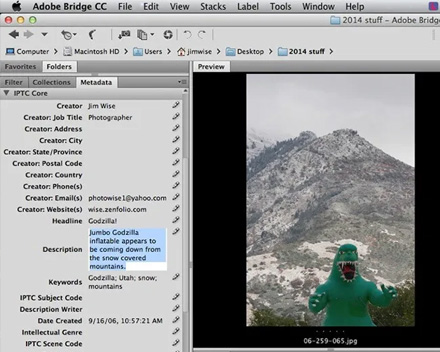 Metadata, email metadata that aliasing doesn't address
 Threat modeling, helps clarify whether aliasing is relevant to your situation