Guides
Choosing a messaging app
Most people use SMS, WhatsApp, or iMessage by default. None of these are the strongest option for private communication. This guide explains your options and helps you pick the right one.
Why it matters
Standard SMS is not encrypted end-to-end. Your carrier can read every message. WhatsApp uses end-to-end encryption but is owned by Meta, which collects substantial metadata. iMessage is encrypted, but only between Apple devices and only when both parties have iMessage enabled, when it falls back to SMS, it's unencrypted.
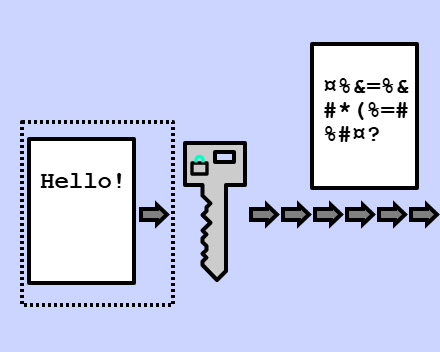
End-to-end encrypted messaging apps keep message content private from everyone except you and the person you're talking to, including the company running the service.
The options
Signal, the default recommendation
Signal is the most widely recommended private messaging app. It uses the Signal Protocol, which is end-to-end encrypted, forward-secret, and has been independently audited. Signal is run by a non-profit, funded by donations, and has no advertising business model.
Requires A phone number to sign up
Best for Anyone who wants reliable private messaging with strong security and broad adoption
Signal is the right choice for most people in most situations. Its cryptography is well-understood, its track record is strong, and enough people use it that you can likely find contacts there already.
Session, when no phone number is possible
Session lets you create an account with no phone number or email, just a randomly generated Account ID. It routes messages through a decentralised network of community-run nodes.
Requires Nothing identifying
Best for Situations where connecting a messaging account to a phone number or real identity is itself a concern
Session is the right choice when the act of registering, providing a phone number, creates exposure you need to avoid. The tradeoff is fewer users, less audit history, and less developed voice and video features.
Which one fits your situation?
"I want private messaging with the people I already talk to."
→ Signal. It's more likely your existing contacts are on it, and the experience is smooth.
"I need to communicate without providing any identifying information at registration."
→ Session. No phone number required, no email.
"I want to know my messages are private but I don't have specific concerns."
→ Signal. It's the baseline.
"I need to be sure the company running the service has nothing to hand over."
→ Signal has demonstrated in legal proceedings that it holds almost no user data. Session's decentralised model means there's no single company to compel.
"My contacts won't use either of these."
→ Start with Signal and explain why. The benefit is limited if the other person uses unencrypted messaging. WhatsApp is a meaningful improvement over SMS if Signal isn't available, it does use the Signal Protocol for message content.
Setting up Signal
- Download Signal from signal.org or your device's app store
- Register with your phone number, Signal sends a verification code via SMS
- Set a PIN (Settings → Account → Signal PIN), this adds an account recovery option
- Enable registration lock (Settings → Account → Registration Lock), this prevents someone else from re-registering your number
Optional but recommended
- Enable disappearing messages as a default for all chats (Settings → Privacy → Default Timer)
- Turn on screen lock (Settings → Privacy → Screen Lock)
- Disable message previews on the lock screen (Settings → Notifications → Show)
To verify you're talking to who you think, open a conversation → tap the contact name → Safety Number. Read this number out loud together or compare it another way. If it matches, the connection is secure and unintercepted.
Setting up Session
- Download Session from getsession.org, or via F-Droid for Android to avoid app store telemetry
- Create a new account, Session generates your Account ID automatically
- Write down your recovery phrase immediately. This is the only way to recover your account on a new device. If you lose it, you lose the account.
- Share your Account ID with the people you want to message
Optional
- Enable disappearing messages for conversations
- Use Session over a VPN, when Session first connects, it contacts a seed node that briefly sees your IP. A VPN prevents this.
What messaging apps don't protect
Neither Signal nor Session hides that you're using a messaging app. Your carrier sees data going somewhere (though not the content). Apps are visible on your device.
Neither protects message content from someone who has your unlocked phone. Encryption protects in transit and at rest, not from physical access to a logged-in device.
End-to-end encryption only covers the messages. Metadata, who you talk to, when, how often, may still be partially visible depending on the app and the threat. Signal minimises this more than most. Session's design minimises it differently.
The other person matters. If your contact uses a compromised device, their end of the conversation is readable regardless of how well your end is protected.
A note on WhatsApp
WhatsApp uses the Signal Protocol and does encrypt message content end-to-end. However, it's owned by Meta, which collects metadata about your contacts, communication patterns, and usage. WhatsApp is meaningfully better than SMS for content privacy. It's not a substitute for Signal or Session when metadata or the company holding your data matters.

Foldy tip
The right messaging app depends on who you are messaging, not just what features you want.